How to add Nest Camera to Apple HomeKit
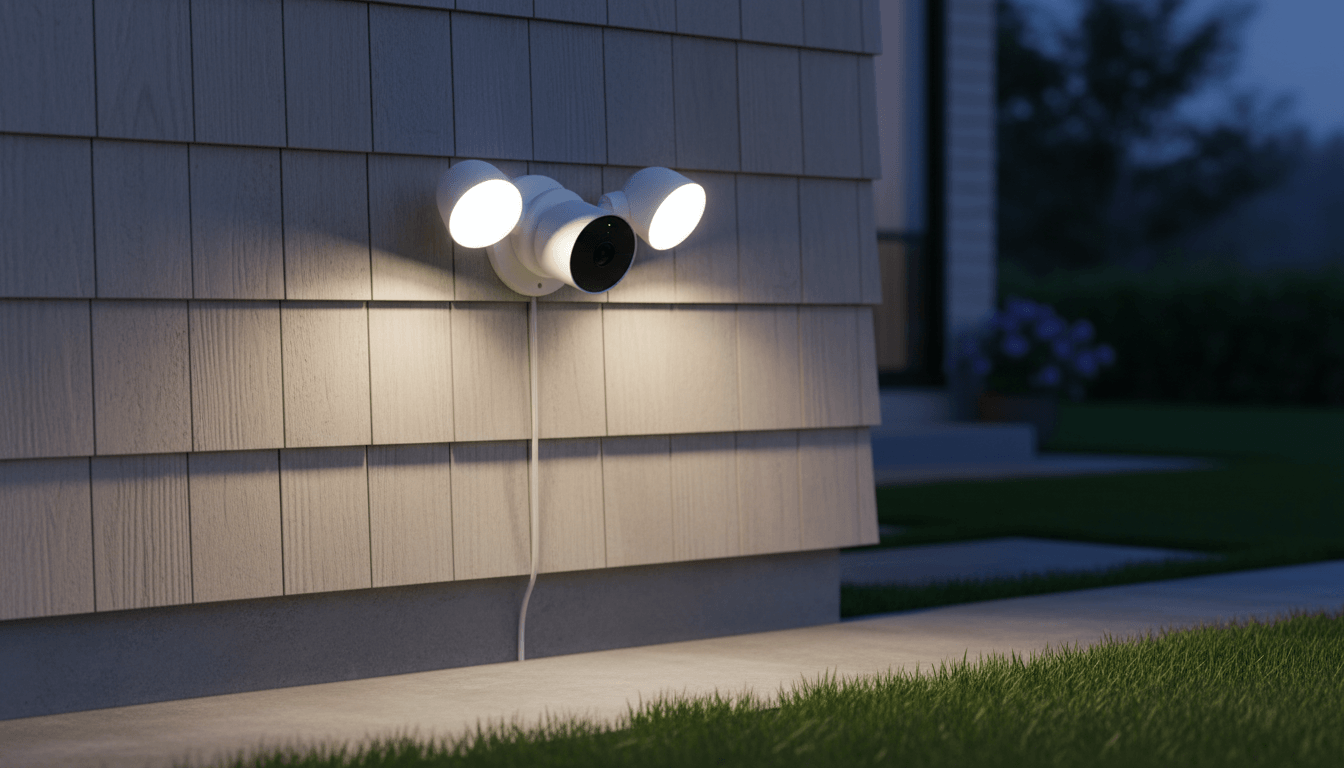
Google Nest Cameras offer sharp video, smart motion detection, and reliable cloud storage. The problem for Apple users is that Nest does not officially support Apple HomeKit. This means no Siri control, no Home app integration, and no cross-device automations.
ATH Bridge solves this. It is a dedicated hardware server that runs Homebridge, a trusted open-source platform that translates between non-HomeKit devices and Apple's ecosystem. With the right plugin installed, ATH Bridge makes every major Nest Camera model fully controllable through the Apple Home app.
This guide walks you through the full setup, step by step.
homebridge-nest-accfactory plugin, link your Google or Nest account, and your Nest Camera will appear in the Apple Home app within minutes. No coding needed.What Are the Options for Bridging Nest to HomeKit?
There are two practical routes for most homeowners: a dedicated hardware bridge running Homebridge, like ATH Bridge, or a purpose-built single-device hub, like Starling Home Hub. A third option, running Homebridge yourself on a Raspberry Pi, exists but requires ongoing software maintenance and command-line setup, so we're not covering it here as a recommended path for non-technical users.
ATH Bridge
ATH Bridge acts as a bridge between non-HomeKit devices, like Nest Cameras, and the Apple HomeKit ecosystem. This integration empowers users to centralize control, create automations, and monitor their surroundings through a single platform.
Starling Home Hub - Officially Discontinued
The Starling Home Hub is widely considered the most reliable and user-friendly way to integrate Nest devices with Apple HomeKit.
What it does:
- Securely connects your Google/Nest account to Apple HomeKit.
- Makes Nest Thermostats, Cameras, Doorbells, Protect devices, and Yale locks available in the Apple Home app.
Other Software-Based Options: Homebridge or Scrypted
If you already have an always-on device such as a Raspberry Pi, Mac, PC, or Home Assistant server, you may not need dedicated hardware.
Homebridge
- Uses plugins to bridge Nest devices into HomeKit.
- Popular options include the
@starlinghome/homebridge-nestplugin and other community-maintained alternatives. - Ideal for users who prefer a DIY solution.
Scrypted
- Particularly recommended for Nest Cameras and Doorbells.
- Provides high-performance camera streaming to HomeKit.
- Supports HomeKit Secure Video (HSV) for compatible camera setups.
Native Matter Integration (Thermostats Only)
If you own a 4th Generation Nest Learning Thermostat, you may be able to connect it directly to Apple Home using Matter.
How it works:
- Open Settings on the thermostat.
- Navigate to Matter and select the option to link with another app.
- A Matter QR code will be generated.
- Scan the code from the Apple Home app to add the thermostat.
This method provides native, local control through Apple Home, but it currently applies only to the thermostat and not to other Nest devices.
Need Help Choosing the Best Option?
Let me know:
- Which Nest devices you want to connect (Thermostat, Camera, Doorbell, Protect, Yale Lock, etc.).
- Whether you already run a smart home platform such as Home Assistant, Homebridge, or another always-on server.
With that information, I can recommend the simplest and most effective setup for your home.
Why Doesn't Nest Camera Work With Apple HomeKit?
Google and Apple run competing smart home ecosystems. Nest devices are built for the Google Home platform, and Apple HomeKit has its own certification program for third-party hardware. Google has not submitted Nest Cameras for HomeKit certification, so the gap exists by design, not because of a technical limitation.
A bridge device closes that gap by sitting between the Nest API and the HomeKit protocol, translating one into the other so your camera shows up in Apple Home as if it belonged there natively.
Step-by-Step Guide: Adding Nest Camera to Apple HomeKit Using AddToHomeKit Bridge
- Set Up the ATH Bridge:
- Purchase the ATH Bridge device. These can often be purchased online or through various tech retailers.
- Connect the ATH Bridge to your Wi-Fi network by following the provided instructions.
2. Install Necessary Plugins:
- Access the ATH Bridge interface either through a web browser or a dedicated app.
- Browse and install the required plugins for Nest Camera integration. These plugins enhance compatibility between the devices.
3. Configure the ATHBridge:
- Access the configuration settings within the ATH Bridge interface.
- Input your Nest account credentials to establish the connection between the Bridge and your Nest Camera.
4. Generate and Scan QR Code:
- The Athom Bridge will generate a QR code specific to your Nest Camera.
- Use your Apple device's camera to scan the QR code, initiating the pairing process between the Nest Camera and the ATH Bridge.
5. Authorize and Finalize:
- Depending on your setup, you may receive a compatibility warning. Proceed by authorizing the connection, as the ATH Bridge acts as an intermediary to make Nest Camera compatible with Apple HomeKit.
6. Access through Apple HomeKit:
- Once the integration is successful, access your Nest Camera through the Apple HomeKit app.
- From the HomeKit app, you can monitor live video feeds, set up automation routines, and control the camera remotely.
Read more: 6 ways to add Nest devices to Apple HomeKit
What are the Benefits of Nest Camera and Apple HomeKit Integration
You control everything from one app. Instead of switching between the Google Home app and the Apple Home app, your Nest Camera sits alongside all your other HomeKit devices in one place. Lights, locks, thermostats, and cameras all in the same view.
You can ask Siri to show you the camera. Say "Hey Siri, show me the front door" and the live feed appears on your iPhone, iPad, or Apple TV instantly. No opening apps, no tapping through menus.
Your footage stays private. With HomeKit Secure Video enabled, recordings are stored encrypted in your iCloud account and not on Google's servers. Apple cannot read them. Google cannot access them. Only you can.
Motion triggers your other smart home devices. When your Nest Camera detects someone at the door, you can have your porch lights turn on, your TV pause, or your phone send a notification. These automations run through Apple Home and work with any HomeKit device you own.
Your family can access it without a Google account. Through HomeKit Home sharing, anyone in your family group can view the camera from their own iPhone without needing to log in to Google or install the Nest app.
It works even when you are not home. As long as ATH Bridge is running, your Nest Camera stays active in HomeKit. You can check the live feed from anywhere using the Apple Home app on your iPhone.
Explore more: How to Add Nest Thermostat to Apple HomeKit and How to add any Twinkly devices to Apple HomeKit
How to Select the Right Bridge for Your Nest Camera Integration
The success of your Nest Camera integration with Apple HomeKit heavily depends on choosing the right Bridge. Here are some key considerations to help you make an informed decision:
- Compatibility: Ensure that the Bridge you choose supports the necessary plugins for Nest Camera integration. Verify its compatibility with both your camera model and the HomeKit ecosystem.
- Reliability: Look for a reputable Bridge brand that is known for stable performance and regular updates to ensure a smooth experience.
- Ease of Setup: Opt for a device with a user-friendly setup process. The easier it is to connect the Bridge to your Wi-Fi network and configure the plugins, the quicker you can enjoy your integrated smart home experience.
Apart from this, if you’re interested in the Tuya devices, you can find out How to add Tuya ZigBee Hub to Apple HomeKit.
What Can You Do with Nest Camera in Apple HomeKit After Setup?
Once your Nest Camera is connected through ATH Bridge, you unlock the full HomeKit camera feature set.
Live Streaming: Watch your Nest Camera feed directly in the Apple Home app from your iPhone, iPad, Apple TV, or HomePod display.
HomeKit Secure Video (HKSV): Your camera footage is stored encrypted in iCloud rather than on Google's servers. HKSV footage counts toward your iCloud storage plan and is fully private.
Siri Control: Ask Siri to show your camera feed on any Apple device. Say "Hey Siri, show me the front door camera" and the live feed appears instantly.
Motion Automations: Set up automations that trigger other HomeKit devices when your Nest Camera detects motion. For example, you can have the porch lights turn on automatically when the camera picks up activity near the front door after dark.
Shared Access: HomeKit Home sharing lets family members view the camera from their own Apple devices without needing a Google account.
Why Is Nest Camera Not Natively Supported by Apple HomeKit?
Google and Apple run competing smart home ecosystems. Google Nest devices are built for the Google Home platform. Apple HomeKit has its own certification program for third-party devices. Google has not submitted Nest Cameras for HomeKit certification, so the gap exists by design and not because of a technical barrier.
ATH Bridge closes this gap by running Homebridge on your local network. Homebridge connects to the Nest API and presents your camera to Apple HomeKit as a compatible accessory. Everything runs locally, which keeps response times fast and the setup stable.
Why Isn't My Nest Camera Showing in HomeKit? (Troubleshooting)
Camera not appearing after setup:Restart Homebridge from the ATH Bridge dashboard, then restart the Apple Home app. If the camera still does not show, remove the accessory from HomeKit and add it again.
Authentication error or invalid token:Your Google or Nest session token has likely expired. Go back to the plugin settings in the ATH Bridge dashboard, get a fresh token from home.nest.com, and update the configuration.
Live stream not loading:The plugin uses ffmpeg to handle video. ATH Bridge includes ffmpeg by default. If your stream is not loading, check the Homebridge logs tab in the dashboard for any ffmpeg errors.
Showing as a switch instead of a camera:This usually means the plugin setup is incomplete. Check that your account credentials are correct and that the camera is visible in the Nest or Google Home app first.
Battery-powered 2021 or later Nest Cam not appearing:This model needs the homebridge-google-nest-sdm plugin. You can install it through the same Plugins tab in the ATH Bridge dashboard.
Final Verdict: The Easiest Way to Get Nest Camera into HomeKit
ATH Bridge is the most practical way to add any Nest Camera to Apple HomeKit in 2026. It gives you full Homebridge functionality without any of the manual setup or ongoing maintenance that a DIY approach requires.
The homebridge-nest-accfactory plugin is actively maintained, Homebridge-verified, and works with the full range of Nest Camera models. The integration is stable, fast, and unlocks features like HomeKit Secure Video and Siri control that make a real difference in daily use.
If you own Nest Cameras and use Apple devices, ATH Bridge is the simplest way to bring them together.
Frequently Asked Questions
Does Nest Camera officially support Apple HomeKit?
No. Google has not certified Nest Cameras for HomeKit. To use a Nest Camera with Apple HomeKit, you need a bridge solution like ATH Bridge, which runs Homebridge to connect the Nest API with the HomeKit protocol.
Is ATH Bridge the same as Homebridge?
ATH Bridge is a hardware device that comes with Homebridge pre-installed and pre-configured. Unlike a manual Homebridge setup on a Raspberry Pi, ATH Bridge is ready to use out of the box. No software installation or config file editing is required.
Will Nest Camera work with Siri after the ATH Bridge setup?
Yes. Once your Nest Camera is added through ATH Bridge, it becomes a full HomeKit accessory. You can ask Siri to show you live feeds on your iPhone, iPad, Apple TV, or any HomePod with a screen.
Does HomeKit Secure Video work with Nest Camera via ATH Bridge?
Yes, for most wired Nest Camera models. HomeKit Secure Video stores encrypted footage in iCloud instead of on Google's servers. Battery-powered Nest Cam models from 2021 have limited HKSV support and work better through the homebridge-google-nest-sdm plugin.
Can I use ATH Bridge with multiple Nest Cameras?
Yes. Each camera is discovered separately and added as its own HomeKit accessory. You can assign each one to a different room in the Apple Home app and manage them independently.
What happens if ATH Bridge loses power?
Your Nest Cameras will stop appearing in HomeKit until ATH Bridge powers back on. The cameras continue recording to Google's cloud if you have a Nest Aware subscription. When ATH Bridge restarts, it reconnects automatically and restores all your accessories.
Does ATH Bridge require a subscription?
No. ATH Bridge is a one-time hardware purchase. Homebridge, the software it runs, is open-source and free with no ongoing fees.
Is my camera footage stored on ATH Bridge?
No. ATH Bridge does not store video. Footage goes to either Google's Nest Aware cloud or Apple's HomeKit Secure Video in iCloud, depending on your settings.

Ishara Fernando
Content Marketing Specialist | Search Engine Optimization (SEO) Specialist | Blogger | Freelance Writer | Digital Marketing Enthusiast | Entrepreneur