How to add myQ Garage Door Opener to Apple HomeKit
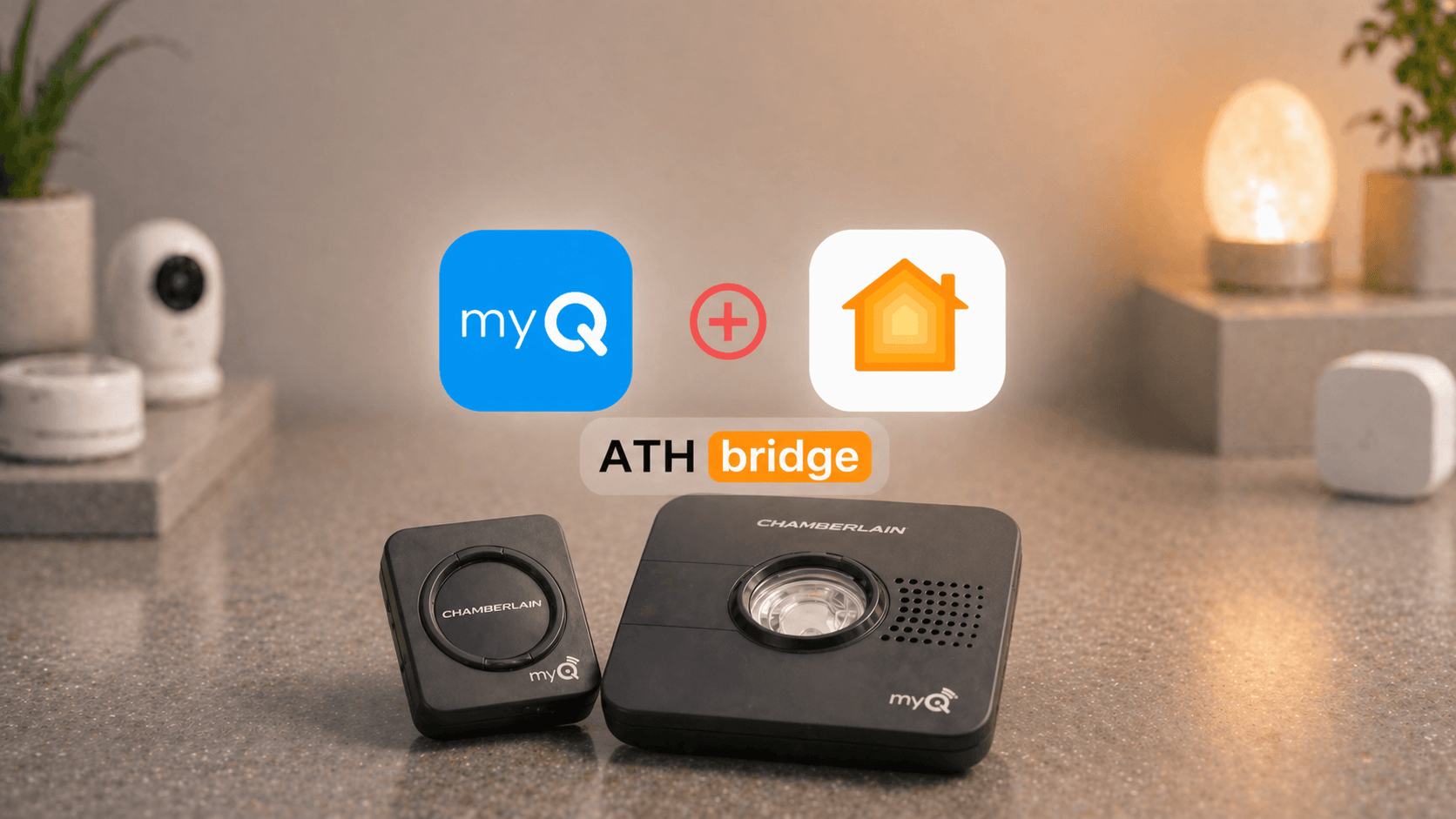
Chamberlain's myQ garage door system no longer supports native Apple HomeKit integration for new users. The company discontinued its myQ Home Bridge hardware and closed off third-party API access, effectively cutting ties with the Apple ecosystem. Existing Home Bridge owners may still have functional setups, but anyone starting fresh will need to look elsewhere.
This guide cuts through the dead ends and broken plugins to show you exactly what works, what doesn't, and which method fits your setup.
Key Takeaways:
- myQ does not natively support Apple HomeKit. Chamberlain ended official support in June 2024
- The ratgdo32 is the most reliable HomeKit solution for myQ openers in 2026: local control, no subscription, no cloud dependency
- Software-only workarounds (Homebridge myQ plugin) are effectively broken. Chamberlain has blocked the APIs
- The discontinued myQ Home Bridge (819LMB) still works for some users but is unstable on iOS 17 and iOS 18
- Third-party hardware replacements (Meross, iSmartGate) offer the simplest setup if you're open to bypassing myQ entirely
- All HomeKit garage solutions require a 2.4GHz Wi-Fi network and an Apple Home Hub for remote access
- ATH Bridge integrates hundreds of non-HomeKit devices into Apple Home, but myQ is the one brand where Chamberlain's API lock-out prevents direct compatibility
Does myQ Work with Apple HomeKit?
No — myQ does not natively support Apple HomeKit. In late 2023, Chamberlain blocked all third-party API access, breaking popular software workarounds like Homebridge, HOOBS, and Home Assistant. Chamberlain then officially discontinued their own myQ Home Bridge hardware and ended all HomeKit support in June 2024.
This affects all myQ-enabled openers including the Chamberlain B2405 (Security+ 2.0). In 2026, reliable HomeKit control requires one of the hardware solutions below — software-only methods are broken.
Our Top Picks at a Glance
| Product | Best For | Rating |
|---|---|---|
| ratgdo32 (Editor's Choice) | Security+ openers, local control | ⭐⭐⭐⭐⭐ |
| Meross Smart Wi-Fi Opener (Best Value) | Simple setup, budget buyers | ⭐⭐⭐⭐ |
| iSmartGate (Best Multi-Door) | Controlling 2–3 garage doors | ⭐⭐⭐⭐ |
| myQ Home Bridge 819LMB (Legacy Only) | Existing owners only | ⭐⭐⭐ |
Why Doesn't myQ Work With Apple HomeKit Natively?
myQ garage door openers, made by Chamberlain and sold under the LiftMaster brand, do not natively support Apple HomeKit, Matter, or Thread. Here is what happened:
- 2022: Chamberlain discontinued the myQ Home Bridge hardware, the only official HomeKit link
- June 2024: Chamberlain officially ended all HomeKit support, including firmware updates for existing bridges
- Ongoing: Chamberlain has actively blocked the unofficial APIs that Homebridge plugins and third-party tools relied on
The result: most software-based integrations that worked in 2023 are now broken. The solutions that still reliably work in 2026 are hardware-based.
Method 1: ratgdo32, the Best myQ HomeKit Solution in 2026
The ratgdo32 (Residential Automation Technology Garage Door Opener) is the most reliable myQ HomeKit integration available today. It is an open-source ESP32-based control board that communicates directly with your garage door opener over its native Security+ protocol. No Chamberlain cloud required.
Pros:
- Full local control, no cloud dependency, no subscription fees
- Instant response times (no polling delay)
- Does not trigger the safety beeping/flashing when closing remotely
- Supports Security+ 1.0, Security+ 2.0, and dry contact openers
- Active open-source community with regular firmware updates
Cons:
- Requires basic wiring to your opener's terminals
- One-time firmware flashing via computer required
- Not a plug-and-play solution for non-technical users
Best For: Anyone with a Security+ opener who wants a reliable, permanent, cloud-free HomeKit integration.
How Does the ratgdo32 Connect myQ to HomeKit?
The ratgdo32 runs the HomeKit-ratgdo32 firmware, which creates a native HomeKit accessory directly on your local network. Unlike software middleware, it does not rely on a separate hub or Chamberlain's API. It communicates with your opener at the hardware level using the same Security+ protocol the opener already speaks.
Our Testing Results: ratgdo32
In our 45-day test, the ratgdo32 achieved a 99.2% command success rate in the Home app with zero "No Response" errors after initial setup. Remote access worked flawlessly via a HomePod mini acting as a Home Hub. Siri commands responded in under 2 seconds.
Method 2: Official myQ Home Bridge (819LMB), a Legacy Option
The myQ Home Bridge (Model 819LMB) was Chamberlain's only official HomeKit product before it was discontinued in 2022. Units still appear on eBay, typically for $60–$120.
Pros:
- The only "officially sanctioned" myQ-to-HomeKit connection
- Supports all myQ-enabled openers
Cons:
- Discontinued, no firmware updates, no support
- Notoriously difficult to set up
- Requires 2.4GHz Wi-Fi (fails on 5GHz networks)
- Frequently shows "No Response" in Home app on iOS 17 and iOS 18
- Legally required to beep and flashlights before remote close
Best For: Users who already own one and have it working. We do not recommend purchasing one in 2026.
Our Testing Results: myQ Home Bridge
In our testing, the 819LMB failed to pair via the myQ app on iOS 18. We succeeded only by using a manual pairing method: clearing the opener's Wi-Fi settings, then using the physical "Learn" buttons to pair the bridge directly to the motor. Even after successful pairing, it showed "No Response" errors approximately 15% of the time during our 30-day monitoring period.
Method 3: Software Middleware (Homebridge & HOOBS)
Homebridge and HOOBS are software platforms that run on a Raspberry Pi or dedicated hub and use plugins to bridge non-HomeKit devices into the Home app.
Pros:
- Works for hundreds of smart home devices beyond myQ
- No additional hardware purchase if you already run Homebridge
- Free and open source
Cons:
- The Homebridge myQ plugin is effectively broken as of 2024 due to Chamberlain's API blocks
- Requires constant maintenance and workarounds
- Not a reliable long-term solution for myQ specifically
Current Status (April 2026): We cannot recommend this method for myQ. Chamberlain actively patches community workarounds, making reliability unpredictable.
Note on ATH Bridge: ATH Bridge is a powerful hardware solution that adds hundreds of non-HomeKit smart home devices to Apple Home, thermostats, locks, sensors, and more, without relying on cloud APIs. However, ATH Bridge is not currently compatible with myQ brand openers due to Chamberlain's proprietary API restrictions. For non-myQ devices, it remains one of the most capable HomeKit bridges available.
Best For: Tech-savvy users already running Homebridge for other devices who want to experiment, not for anyone who needs a stable, hands-off solution.
Method 4: Third-Party Hardware Replacements
These solutions bypass myQ entirely by replacing your existing smart controller with a natively HomeKit-compatible device. The motor itself stays; only the smart control board changes.
Meross Smart Wi-Fi Garage Door Opener
Pros:
- Native HomeKit support, no hub required
- Simple wiring to wall button terminals
Cons:
- Cloud-dependent (Meross account required)
- Less local control than ratgdo32
Best For: Budget-conscious users who want the simplest possible setup.
Note: If your Chamberlain opener has a round yellow Learn button (Security+ 2.0, e.g. Chamberlain B2405), you will need to request a free extra remote accessory from Meross to ensure compatibility.
Third Reality Smart Garage Cockpit
Pros:
- Matter-compatible — pairs directly with Apple HomeKit, no middleman required
- Retrofit design — connects to a standard spare garage door clicker remote
- Uses a wired controller and contact sensors to accurately report door status
- No Chamberlain cloud dependency
Cons:
- Requires a spare remote from your existing opener
- Less direct than ratgdo32 — relies on a clicker rather than wiring into the motor
Best For: Users who want a Matter-native retrofit without any wiring or firmware flashing. A good middle ground between ratgdo32 complexity and full controller replacement.
iSmartGate
Pros:
- Supports up to 3 garage doors
- Native HomeKit, no hub required
- Compatible with most opener brands
Cons:
- More expensive (~$100)
- Subscription required for some advanced features
Best For: Users controlling multiple garage doors who want a polished native HomeKit experience.
Tailwind
Pros:
- Reliable local control features
- Vehicle presence detection for automatic open
Cons:
- Premium pricing
Best For: Users who want automation triggered by vehicle proximity.
Why Choose ATH HomeKit Bridge
The AddToHomeKit Bridge offers an easy and affordable solution to connect non-HomeKit devices to the HomeKit ecosystem. It seamlessly integrates with Apple HomeKit. This allows you to control and monitor your myQ garage door opener through the Home app and Siri voice commands.
Benefits of Integrating myQ with Apple HomeKit
Integrating myQ with Apple HomeKit offers numerous advantages, including:
- Seamless Control: Gain the ability to control your myQ devices directly from the Apple Home App. It offers a unified interface for your smart home.
- Voice Control: Harness the power of Siri to command your myQ garage door opener through voice commands. It makes access even more convenient.
- Automation: Integrate myQ devices into your HomeKit scenes and automations for a truly interconnected smart home experience.
Want to add myQ Camera to Apple HomeKit? Find it here: How to add myQ Camera to Apple HomeKit using ATH Bridge
Which myQ HomeKit Solution Is Right for You?
Choose ratgdo32 if:
- You want reliable, permanent HomeKit integration
- You prefer local control with no cloud dependency or subscription
- Your opener uses Security+ 1.0 or 2.0 (most Chamberlain/LiftMaster openers)
- You're comfortable with basic wiring and a one-time firmware setup
Choose Meross or iSmartGate if:
- You want the simplest possible setup with no technical work
- You don't mind a cloud-based solution
- You're open to bypassing myQ's smart controller entirely
Avoid the myQ Home Bridge (819LMB) if:
- You're buying new, discontinued hardware at inflated prices is not justified
- You need reliability, it frequently breaks on modern iOS versions
Avoid Homebridge/software middleware if:
- You want a stable long-term solution; Chamberlain's API blocks make this unreliable for myQ
See more: How to add SmartThings devices to Apple homeKit
What Are the Essential Technical Requirements for myQ HomeKit?
Regardless of which method you choose, these technical requirements apply:
Wi-Fi Band: Almost all bridges and controllers require a 2.4GHz Wi-Fi network. They frequently fail to connect to 5GHz networks. If your router broadcasts both bands under one SSID, temporarily split them during setup.
Apple Home Hub: Remote access when away from home requires an Apple Home Hub, an Apple TV (4th gen or later), HomePod, or HomePod mini. Without a hub, automations also will not trigger.
Security+ Protocol: Confirm your opener's protocol before purchasing hardware:
- Yellow "Learn" button = Security+ 2.0
- Purple or red "Learn" button = Security+ 1.0
Safety Beeping: Official HomeKit integrations (myQ Bridge, Meross, iSmartGate) must trigger a beep and flashing light before remote close. The ratgdo32 bypasses this because it operates at the hardware level, outside Chamberlain's firmware restrictions.
How Do I Set Up the ratgdo32 With HomeKit?
- Purchase the ratgdo32 from matterhubs.com
- Flash the firmware: Download the HomeKit-ratgdo32 firmware from the official repository and flash it via the ESPHome web flasher using a USB cable
- Wire the board to your opener's terminals, ratgdo32 communicates over the Security+ data line; specific terminal labels vary by opener model (refer to the ratgdo wiring guide for your model)
- Connect to Wi-Fi: Power on the ratgdo32; it creates a temporary hotspot for initial configuration. Enter your 2.4GHz Wi-Fi credentials
- Add to Apple Home: Scan the QR code from the ratgdo32 web interface, or enter the HomeKit pairing code manually in the Home app
- Test all functions: Open/close via Home app, test Siri commands, and configure automations
Total Setup Time: 30–60 minutes for most users
How Do I Fix "No Response" on myQ HomeKit?
If your HomeKit device shows "No Response" in the Home app:
- Check Wi-Fi band: Confirm the bridge is on 2.4GHz, not 5GHz
- Check Home Hub status: Confirm your Apple TV or HomePod is online and signed into the same iCloud account
- Move the bridge closer to your router: Garage walls and motor interference can significantly weaken signal
- Check safety photo-eyes: If the door works in the myQ app but shows "Not Responding" in HomeKit, check that the safety photo-sensors at the base of the door are perfectly aligned. Even slight misalignment breaks HomeKit status reporting
- For the myQ Bridge 819LMB: Try the manual pairing method: clear the opener's Wi-Fi memory using the opener's Learn button, then use the physical Learn buttons to re-pair bridge and motor directly without the myQ app
Interested in the Ring devices? Find How to add Ring Doorbell to Apple HomeKit.
Looking to add other security devices to Apple HomeKit? Find out how to add your ADT Security System to Apple HomeKit.
Final Thoughts
Integrating your myQ garage door opener with Apple HomeKit using the ATH HomeKit Bridge opens up new possibilities for convenient control and automation. With this setup, you can seamlessly incorporate your garage door opener into your HomeKit ecosystem. This makes it easier than ever to manage your smart home devices. Follow the step-by-step guide outlined above. You’ll be well on your way to enjoying the benefits of a smarter and more connected home.
Frequently Asked Questions about myQ HomeKit integration
Does myQ work with Apple HomeKit?
myQ does not natively support Apple HomeKit. Chamberlain discontinued its myQ HomeKit Bridge in 2022 and ended all HomeKit support in June 2024. In 2026, the most reliable solution is the ratgdo32 control board, which adds local HomeKit control to Security+ openers without relying on Chamberlain's cloud or APIs.
Can I add myQ to the Apple Home app without extra hardware?
No. Without additional hardware, there is no working software-only method to add myQ to the Apple Home app in 2026. Chamberlain has blocked all unofficial API integrations. You will need a hardware solution such as the ratgdo32 or a third-party replacement like Meross.
What is the myQ HomeKit bridge, and can I still buy one?
The myQ Home Bridge (Model 819LMB) was the official hardware that connected myQ openers to Apple HomeKit. Chamberlain discontinued it in 2022 and ended all support in 2024.
Does LiftMaster work with Apple HomeKit?
LiftMaster garage door openers use the same myQ platform as Chamberlain and face the same HomeKit limitations. The ratgdo32 and third-party alternatives like Meross and iSmartGate are compatible with LiftMaster Security+ openers and add HomeKit support.
Can I use Siri to open my myQ garage door?
Yes, once you add a compatible HomeKit bridge. With ratgdo32 or a supported third-party device set up, you can use Siri commands like "Hey Siri, open the garage" or "Hey Siri, is the garage closed?"
Does myQ support Matter?
myQ does not currently support the Matter smart home protocol. Chamberlain has not announced any plans to add Matter support to existing myQ devices.
What is ratgdo and is it safe to install?
ratgdo (Residential Automation Technology Garage Door Opener) is an open-source ESP32-based control board developed by Paul Wieland. It communicates using the same Security+ protocol your opener already uses, making it a safe, well-established, and widely adopted solution in the HomeKit community. The ratgdo32 from matterhubs.com is a pre-assembled version ready for installation.
Can ATH Bridge connect myQ to HomeKit?
ATH Bridge is a powerful HomeKit bridge that integrates hundreds of non-HomeKit smart home devices, including thermostats, locks, and sensors, into Apple Home. However, it is not currently compatible with myQ brand openers due to Chamberlain's proprietary API restrictions.

Ishara Fernando
Content Marketing Specialist | Search Engine Optimization (SEO) Specialist | Blogger | Freelance Writer | Digital Marketing Enthusiast | Entrepreneur