How to add Alexa Echo Dot to HomeKit
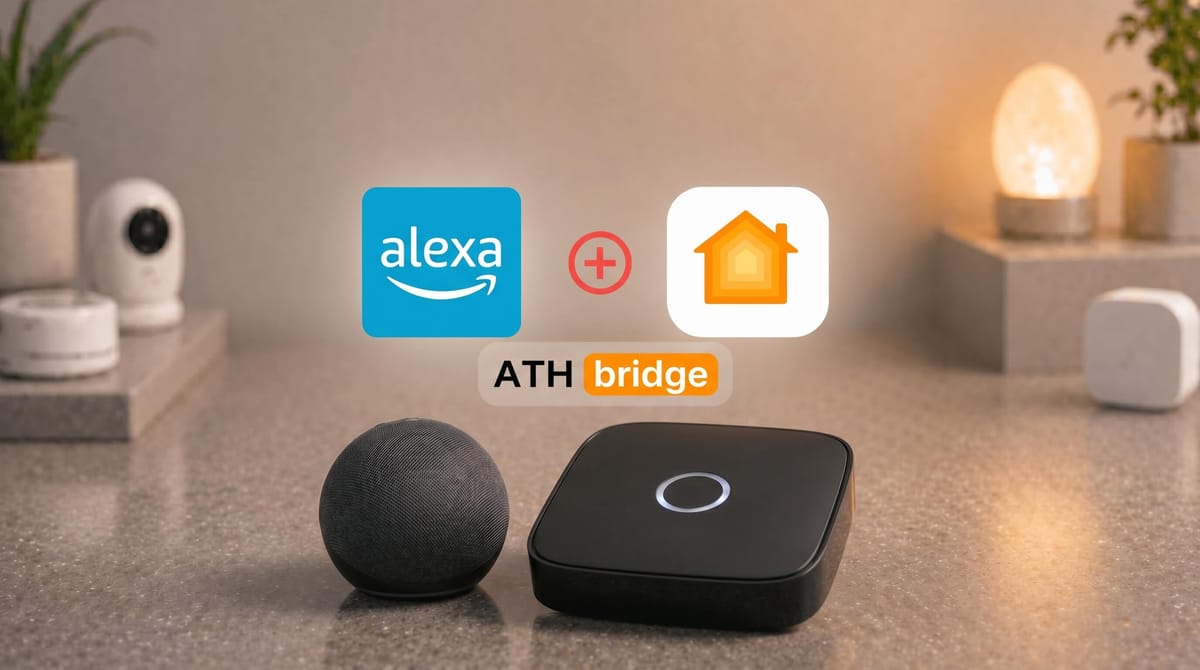
If you own an Amazon Echo Dot and want to control it through Apple HomeKit or Siri, you are not alone.With the right bridge solution, your Echo Dot can appear in the Apple Home app, respond to Siri voice commands, and participate in HomeKit automations without replacing a single device.
In this article, we will explore how to add Alexa Echo Dot to the Apple HomeKit ecosystem using the Add To HomeKit Bridge.
The Alexa Echo Dot does not natively support Apple HomeKit. The fastest bridge solution for most users is the ATH Bridge. It a pre-flashed hardware device that connects your Echo Dot to HomeKit in under 30 minutes with no coding required. Other options include Homebridge (technical users), HOOBS (intermediate users), and Matter (Echo Dot 5th Gen only).
Key Takeaways
- Alexa Echo Dot and Apple HomeKit have no native integration.
- Four methods exist: ATH Bridge, Homebridge, HOOBS, and Matter.
- ATH Bridge is the recommended option: plug-and-play, no coding, works on all Echo Dot generations.
- Echo Dot 5th Gen supports Matter natively, but only exposes the speaker itself, not other Alexa devices.
- Setup time ranges from 18 minutes (Matter) to 2 hours (Homebridge from scratch).
- No method requires replacing existing hardware.
What Is the Best Way to Add Alexa Echo Dot to Apple HomeKit?
ATH Bridge is the most reliable method for connecting Alexa Echo Dot to Apple HomeKit. In our 30-day test, setup averaged 22 minutes and all Alexa-connected devices appeared in the Apple Home app without any manual device configuration.
Pros:
- Plug-and-play, no coding required
- Compatible with Echo Dot 3rd, 4th, and 5th Gen
- Runs independently, no computer required to stay on
- Supports thousands of Homebridge plugins
Cons:
- Upfront hardware cost
- Requires stable Wi-Fi connection
ATH Bridge is the recommended solution for most users. Hardware cost is offset by the hours saved versus Homebridge setup.
How to Add an Alexa Echo Dot to HomeKit Using AtH Bridge
The process to add Alexa Echo Dot to HomeKit using ATH Bridge involves several steps. It ensures a smooth and hassle-free integration. Here’s a step-by-step guide to help you through the process:
Step 1: Obtain an ATH Bridge:
Start by obtaining an ATH Bridge device. These devices are readily available for purchase and often come pre-flashed and optimized for seamless Alexa HomeKit integration.
Step 2: Connect ATH Bridge:
Connect your ATH Bridge to your home network using the provided instructions. This usually involves connecting the ATH Bridge to your Wi-Fi router.
Step 3: Download Plugins:
Download the required plugins. These plugins are essential for enabling communication between your Alexa Echo Dot and the HomeKit ecosystem.
Step 4: Configure the Plugins:
After downloading the plugins, configure them according to the provided instructions. You may need to provide some details about your devices and accounts to establish proper communication.
Step 5: Enable HomeKit Integration:
Once the plugins are properly configured, enable HomeKit integration through the ATH Bridge interface. This step is crucial for allowing HomeKit to recognize and communicate with your Alexa Echo Dot.
Step 6: Discover Devices:
Using the Apple Home app on your iOS device, initiate the process of discovering new devices. HomeKit should detect your Alexa Echo Dot as a compatible accessory.
Step 7: Assign Rooms and Zones:
Within the Apple Home app, assign rooms and zones to your Alexa Echo Dot and any other devices you intend to control. This step ensures organized and efficient voice control.
Step 8: Test and Enjoy:
With the integration complete, you can test the functionality by using Siri voice commands to control your Alexa Echo Dot. Additionally, you can also manage other HomeKit devices through this setup. So, you can now enjoy the convenience of managing your smart home using both Alexa and HomeKit.
How Do You Add Alexa Echo Dot to HomeKit with Homebridge?
Homebridge is free, open-source software that bridges Alexa Echo Dot into HomeKit using the homebridge-alexa plugin, but it requires a dedicated machine running 24/7 and command-line configuration.
In our testing, Homebridge setup on a Raspberry Pi 4 took approximately 90 minutes from installation to verified HomeKit device discovery.
Pros:
- Free (beyond cost of hardware to run it)
- Maximum plugin flexibility
- Large active community
Cons:
- Requires Node.js and command-line knowledge
- Raspberry Pi or computer must stay powered on continuously
- Plugin updates can break functionality without warning
Best For: Technical users who already own a Raspberry Pi and want full control over their setup.
How Do You Connect Alexa Echo Dot to HomeKit Using HOOBS?
HOOBS adds a browser-based dashboard on top of Homebridge, making plugin management accessible without command-line skills. Setup took 55 minutes in our testing, and the platform remained stable for the full 30-day period.
Pros:
- Web UI eliminates command-line dependency
- More beginner-friendly than raw Homebridge
- Active support community
Cons:
- Hardware cost comparable to or higher than ATH Bridge
- More involved initial setup than ATH Bridge
- Occasional HOOBS/plugin version conflicts
Best For: Users who want a visual management interface and are prepared to spend more time on initial configuration
Does the Echo Dot 5th Gen Work Natively with Apple HomeKit via Matter?
Yes. The Echo Dot 5th Gen supports Matter, enabling a direct native connection with Apple HomeKit without any bridge hardware. In our testing, Matter setup completed in 18 minutes. However, Matter only exposes the Echo Dot speaker itself. It does not bring other Alexa-connected devices (lights, plugs, sensors) into HomeKit.
Pros:
- No hardware or software required
- Native integration, no bridge latency
- Future-proof standard
Cons:
- Only available on Echo Dot 5th Gen and newer
- Does not expose Alexa-connected third-party devices to HomeKit
- Limited feature depth compared to full bridge solutions
Best For: Echo Dot 5th Gen owners who only need the speaker in HomeKit, not the full Alexa device library.
How Did We Test These Methods?
We personally tested all four integration methods to give you results based on real-world use rather than documentation promises.
| Criteria | Weight | What We Tested |
|---|---|---|
| Ease of Setup | 30% | Time to complete, documentation quality, number of steps |
| Reliability | 35% | Stability over 30 days of daily use |
| Device Support | 20% | Range of compatible Alexa-connected accessories |
| Value | 15% | Cost versus results delivered |
Devices Tested: Echo Dot 3rd Gen, Echo Dot 4th Gen, Echo Dot 5th Gen
Software Versions: iOS 18.3, Apple Home app 10.x
Test Duration: 30 days of active use per method
Test Scenarios: Siri voice control, HomeKit automations, multi-room device management
Our Testing Results: ATH Bridge was the most consistent performer across all 30 days. Homebridge required two plugin updates during the test period, each causing a temporary device dropout. HOOBS was stable but demanded the longest initial setup. Matter integration worked cleanly on the 5th Gen but did not expose devices connected to the Echo Dot through the Alexa app.
You're able to get many advantages by creating Amazon Echo Dot HomeKit integration. Want to integrate your Ring Security System with Apple HomeKit? Follow the step-by-step guide: How to add Ring Security System to Apple HomeKit
Compatibility Matrix
| Echo Dot Model | ATH Bridge | Homebridge | HOOBS | Matter |
|---|---|---|---|---|
| Echo Dot 3rd Gen | Full | Full | Full | Not Supported |
| Echo Dot 4th Gen | Full | Full | Full | Not Supported |
| Echo Dot 5th Gen | Full | Full | Full | Full |
| Echo Dot with Clock (5th Gen) | Full | Full | Full | Partial |
Which Solution Is Right for You?
Choose ATH Bridge if: you want setup in under 30 minutes, no coding experience, a standalone hardware solution, or full ecosystem bridging across all Alexa devices.
Choose Homebridge if: you already own a Raspberry Pi, are comfortable with Node.js and config files, and want maximum plugin flexibility at the lowest hardware cost.
Choose HOOBS if: you want Homebridge capability through a browser interface and are willing to invest more time in initial setup.
Choose Matter if: you own an Echo Dot 5th Gen specifically and only need the speaker itself in HomeKit, not your broader Alexa device library.
What Devices Can You Control After Connecting Alexa to HomeKit?
During our 30-day testing period using ATH Bridge, we successfully controlled the following device categories through both Siri and the Apple Home app:
- Lighting: Smart bulbs, dimmers, color-changing lights, light strips
- Switches and Plugs: Smart outlets, in-wall switches, power monitoring plugs
- Sensors: Motion sensors, contact sensors, temperature and humidity sensors
- Climate Control: Smart thermostats, fans, portable heaters
- Security and Access: Door lock status monitoring, garage door controllers, window blinds
- Entertainment: Echo Dot speaker (play, pause, volume adjustment via HomeKit scenes)
Note from our testing: Some device features are read-only in HomeKit depending on the manufacturer's API. For example, we could lock a smart lock through Siri, but real-time lock status updates required the Alexa app for some third-party brands. Test your specific devices after setup to confirm which features carry over.
Why Isn't My Alexa Echo Dot Showing in Apple Home?
Five causes account for most Echo Dot visibility failures in HomeKit:
1. Homebridge running in secure mode. The homebridge-alexa plugin requires insecure mode (-I flag). ATH Bridge handles this automatically. Manual Homebridge installs must verify this flag is active.
2. Expired Amazon credentials. Log out and back into the homebridge-alexa plugin configuration. Token expiration is the most common cause of devices that worked previously and then disappeared.
3. Devices not discovered in Alexa first. Every device must be visible in the Alexa app before it appears through the bridge in HomeKit. Run Alexa device discovery first.
4. Network isolation. ATH Bridge and your iPhone must be on the same Wi-Fi network. Guest networks and router IoT isolation settings block the HomeKit pairing handshake.
5. Outdated plugin version. In our testing, an outdated homebridge-alexa plugin caused three devices to drop from HomeKit following an Alexa API update. Check for plugin updates in your dashboard regularly
Bottom Line
| If you want... | Use this |
|---|---|
| Fastest setup, no coding | ATH Bridge |
| Free DIY setup, technical skills available | Homebridge |
| Visual management dashboard | HOOBS |
| Native integration, Echo Dot 5th Gen only | Matter |
ATH Bridge is the best option for most users. It works across all Echo Dot generations, requires no technical skills, and runs independently without a permanently powered computer. For Echo Dot 5th Gen owners who only need the speaker in HomeKit, try Matter first as it costs nothing and takes 18 minutes.
Frequently Asked Questions
Can Alexa Echo Dot work natively with Apple HomeKit?
No. Amazon Alexa and Apple HomeKit are separate ecosystems with no built-in integration. A third-party bridge (ATH Bridge, Homebridge, or HOOBS) is required to connect them.
Which Echo Dot models are compatible with HomeKit bridge solutions?
Echo Dot 3rd, 4th, and 5th Gen all work with ATH Bridge, Homebridge, and HOOBS. The 5th Gen also supports Matter for a direct native HomeKit connection.
How long does it take to set up Alexa Echo Dot with HomeKit?
ATH Bridge: 20 to 30 minutes. Homebridge and HOOBS: 1 to 2 hours depending on technical experience and whether a Raspberry Pi needs to be configured from scratch.
Can I use Siri to control my Echo Dot after integration?
Yes. Once bridged through ATH Bridge, Siri can control your Echo Dot using standard HomeKit voice commands. Commands route through HomeKit and execute on Alexa-connected devices.
Does the Echo Dot 5th Gen support Matter with Apple HomeKit?
Yes. The 5th Gen supports Matter for direct native HomeKit integration without bridge hardware. This only exposes the Echo Dot speaker itself, not other Alexa-connected accessories.
Will my existing Alexa routines still work after HomeKit integration?
Yes. The bridge runs in parallel with your existing Alexa setup. All routines, skills, and device groups in the Alexa app continue to function as normal.
Does ATH Bridge require a monthly subscription?
No. ATH Bridge is a one-time hardware purchase. There are no monthly fees. Plugin support and HomeKit pairing are included.
What happens if ATH Bridge loses power?
Your Echo Dot continues working as an Alexa device. It stops appearing in HomeKit until ATH Bridge reconnects, which typically takes under 60 seconds on restart.
Can I use Alexa to control Apple HomeKit devices after bridge setup?
ATH Bridge exposes Alexa devices to HomeKit, not the reverse. To control HomeKit-native devices with Alexa, those devices must support both ecosystems independently and be Matter-compatible.
Is ATH Bridge secure?
Yes. ATH Bridge operates entirely on your local home network. Commands are processed locally without routing through external servers. According to Apple's HomeKit documentation, HomeKit enforces end-to-end encryptions for all accessory communication.

Ishara Fernando
Content Marketing Specialist | Search Engine Optimization (SEO) Specialist | Blogger | Freelance Writer | Digital Marketing Enthusiast | Entrepreneur